
March Updates TL;DR
iVerify’s Alert Console has been overhauled for greater clarity and context, enabling faster, more precise triage and incident response.
App Inventory is now generally available, giving you detailed visibility and risk assessment for applications across your Android fleet.
New Microsoft Intune integrations provide unified device visibility across your entire mobile fleet, even prior to deploying iVerify to your full fleet.
Threat Hunter IR now collects file system metadata to enhance investigative capabilities with low-friction data collection.
Alert Console Overhaul: Faster, More Precise Triage and Incident Response
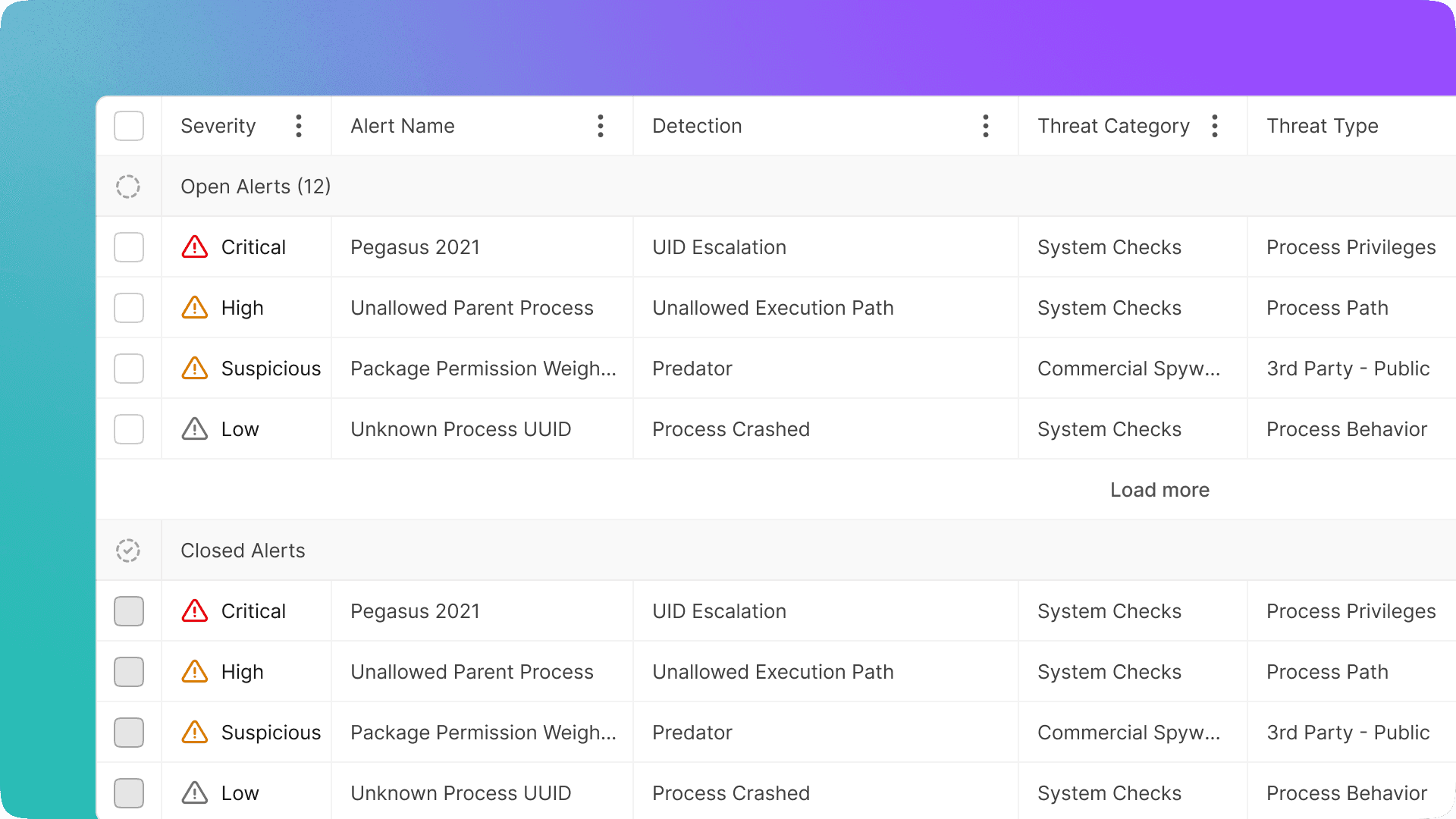
We've completely overhauled the Alert Console to provide the clarity and context you need to tackle complex mobile threats. This foundational redesign ensures your security team can move faster and with greater precision from detection to resolution.
The new console accelerates triage and incident response by giving you the full history of any alert, improved categorization across alert families, and clear visibility into the specific trigger for each event.
Crucially, alerts are now generated per discovery rather than per device scan. While this new approach may increase the total number of alerts you see, it ensures every alert contains far more actionable context, making it significantly easier to understand and respond to individual events.
Looking ahead, a follow-up release will introduce the ability to fully configure alert severity and mute alerts, giving you even greater control over alert prioritization and management.
Key Benefits
Faster, more precise triage and incident response.
Full history, improved categorization, and clear trigger visibility for every alert.
More actionable context in each alert to better understand events.
Other Improvements in This Release
App Inventory (Now Generally Available):
App Inventory is now generally available, providing detailed visibility and permission-based risk analysis for applications across your Android fleet. This feature allows you to rapidly identify high-risk applications and understand their deployment throughout your environment.
It is automatically enabled for managed devices and disabled for BYOD devices.
Microsoft Intune Integration:
Our new Intune integration offers a unified view of your entire mobile fleet by syncing all managed devices directly into iVerify, simplifying the identification of unprotected devices. The integration further streamlines operations by supporting the automatic unenrolment of retired devices, eliminating orphaned assets.
Intune MAM integrated with iVerify MTD Integration:
You can now apply app protection policies using real-time device risk signals from iVerify MTD. This combines iVerify’s industry-leading operating-system-level telemetry with MAM-managed applications to govern access to corporate data based on the device’s security posture, extending protection into the application layer.
Threat Hunter IR File System Metadata Collection:
Threat Hunter IR now captures key artifacts, such as file paths, timestamps, and ownership, during an investigation. This new capability allows security teams to reconstruct activity timelines and detect persistence or data exfiltration without requiring full file extraction, enhancing investigative efficiency.
What This Means For You
For Security Teams
Accelerate incident response with the redesigned Alert Console, providing clearer context and actionable intelligence for triage.
Extend data protection into the application layer by enforcing Intune MAM policies based on real-time device risk from iVerify MTD.
Conduct faster, low-friction investigations using Threat Hunter IR’s new file system metadata collection for reconstructing activity timelines and identifying anomalies.
Assess high-risk apps across the enterprise using the generally available App Inventory and ingested Intune application data.
For IT/Admins
Maintain a unified and clean view of your entire mobile fleet by syncing all managed devices from Microsoft Intune.
Easily identify and address devices that iVerify does not currently protect.
Reduce administrative overhead by automatically unenrolling retired devices via the Intune integration.
For End Users
Benefit from enhanced protection as access to corporate data is continuously governed by up-to-date threat intelligence and device security posture.
Getting Started
These features are now live in the iVerify Enterprise platform. You can find full documentation here. If you have any questions, reach out to your account manager or contact us at info@iverify.io
Not a customer? Book a demo of iVerify Enterprise to see these features and more in action.


Subscribe to our blog to receive the latest research and industry trends delivered straight to your inbox. Our blog content covers sophisticated mobile threats, unpatched vulnerabilities, smishing, and the latest industry news to keep you informed and secure.