
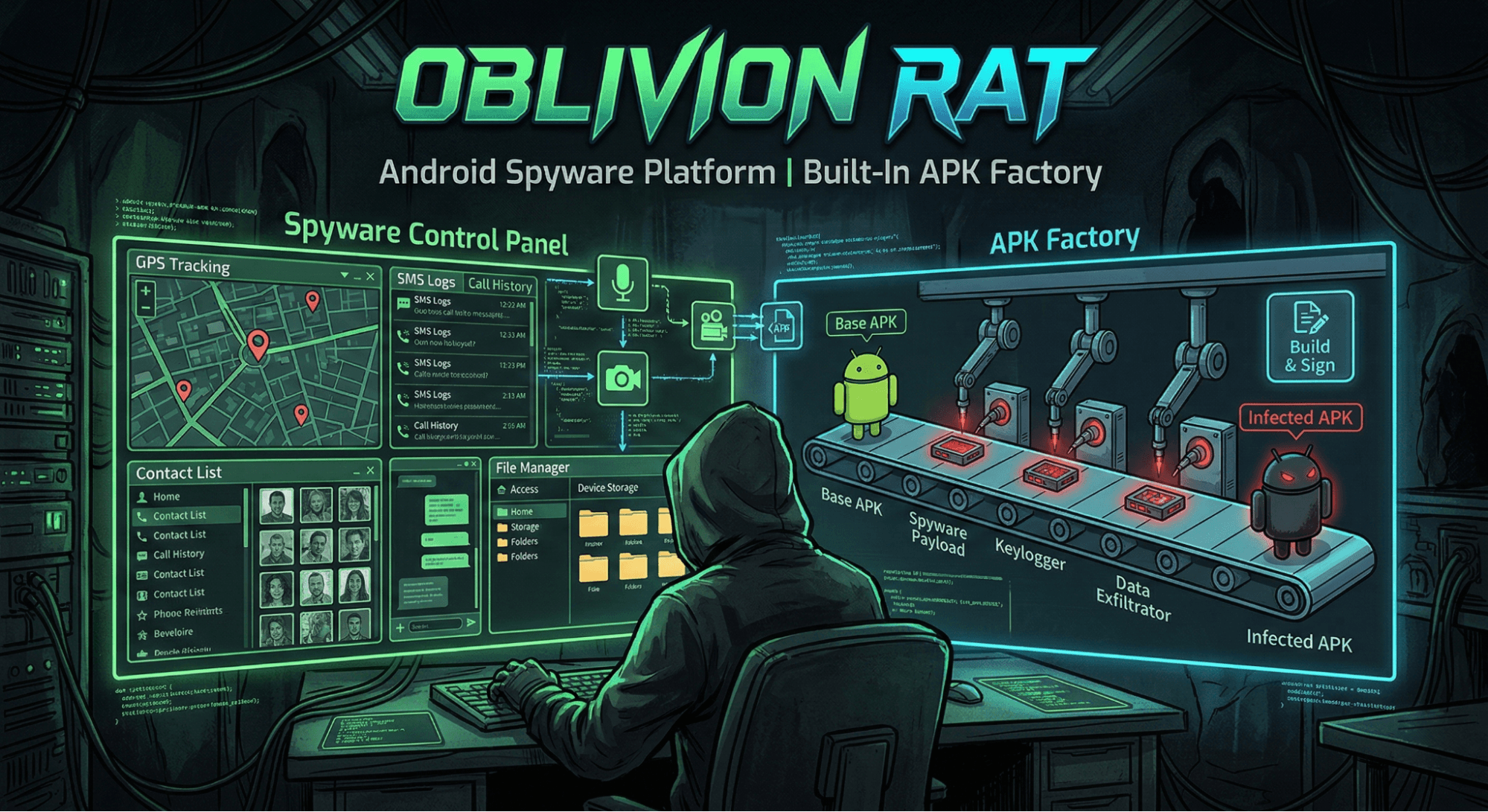
Oblivion RAT is a new Android remote access trojan sold as a malware-as-a-service (MaaS) platform on cybercrime networks for $300/month.
First reported publicly by Certo Software, it caught our attention because of how production-ready the entire operation is. The platform includes a web-based APK builder for the implant, a separate dropper builder that generates convincing fake Google Play update pages, and a C2 panel for real-time device control.
Pricing runs $300/month, $700/3 months, $1,300/6 months, or $2,200 lifetime, with 7-day demo accounts available. We obtained samples of both the dropper and RAT implant, gained access to the builder and C2 panel, and reverse-engineered the full infection chain. What follows is a walkthrough of how Oblivion gets onto a device and what it does once installed.
Three-Page Sideloading Lure
Oblivion uses a two-stage infection model. The first stage is a dropper APK distributed to victims via social engineering, typically through messaging apps or dating platforms. It contains the compressed RAT implant (payload.apk.xz) and three self-contained HTML pages that simulate a Google Play update flow. All pages use inline CSS with no external dependencies.
The first page fakes a download completing with a progress bar followed by a security scan displaying reassuring check
marks: "No malicious code," "Safe data transfer," "Verified developer," "Complies with Google policy."
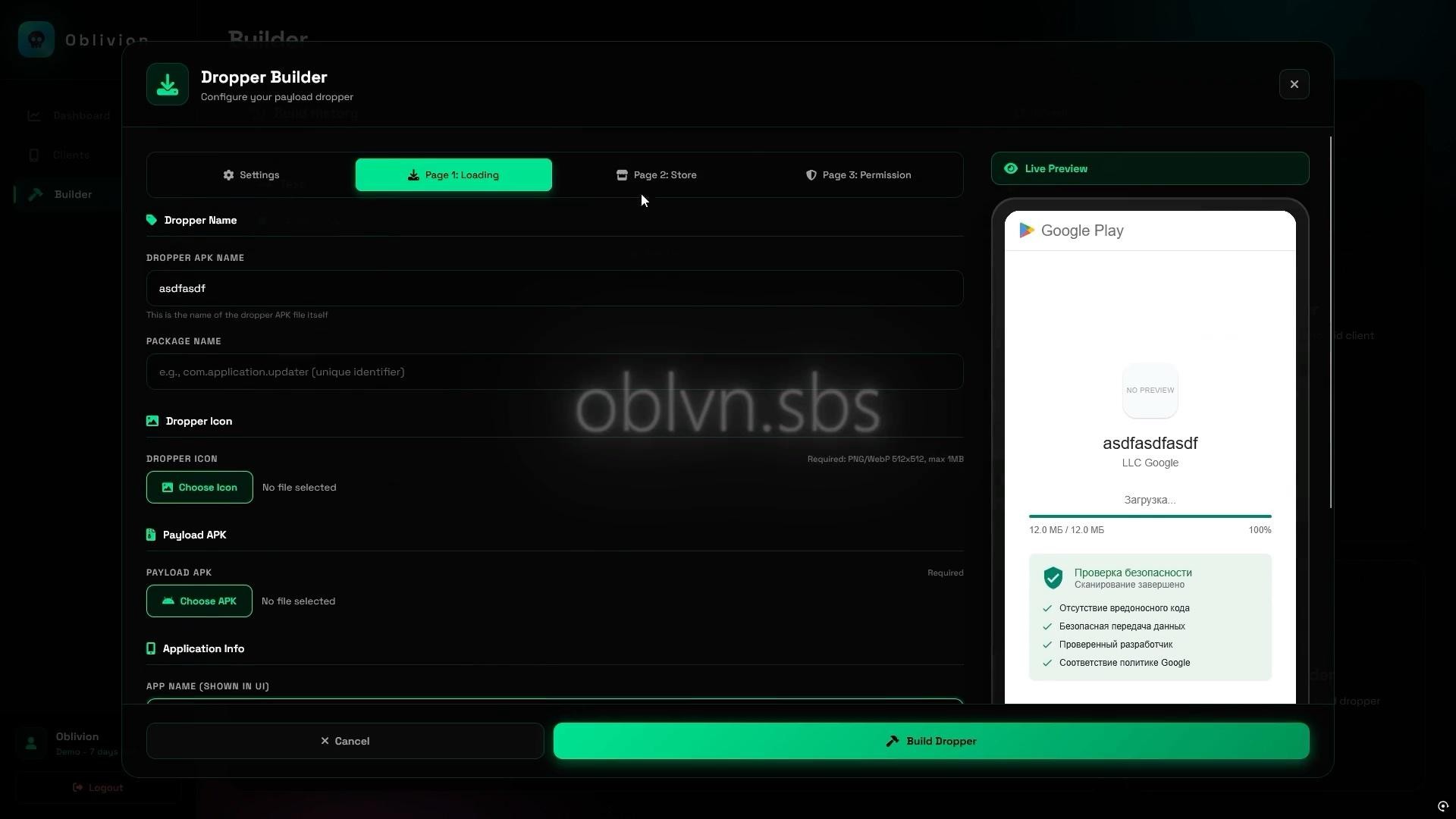
Figure 1: Fake download completion with security scan.
The second presents a fake Play Store listing with a developer name ("LLC Google"), a 4.5-star rating, and a green UPDATE button that triggers REQUEST_INSTALL_PACKAGES to begin sideloading the second-stage payload.
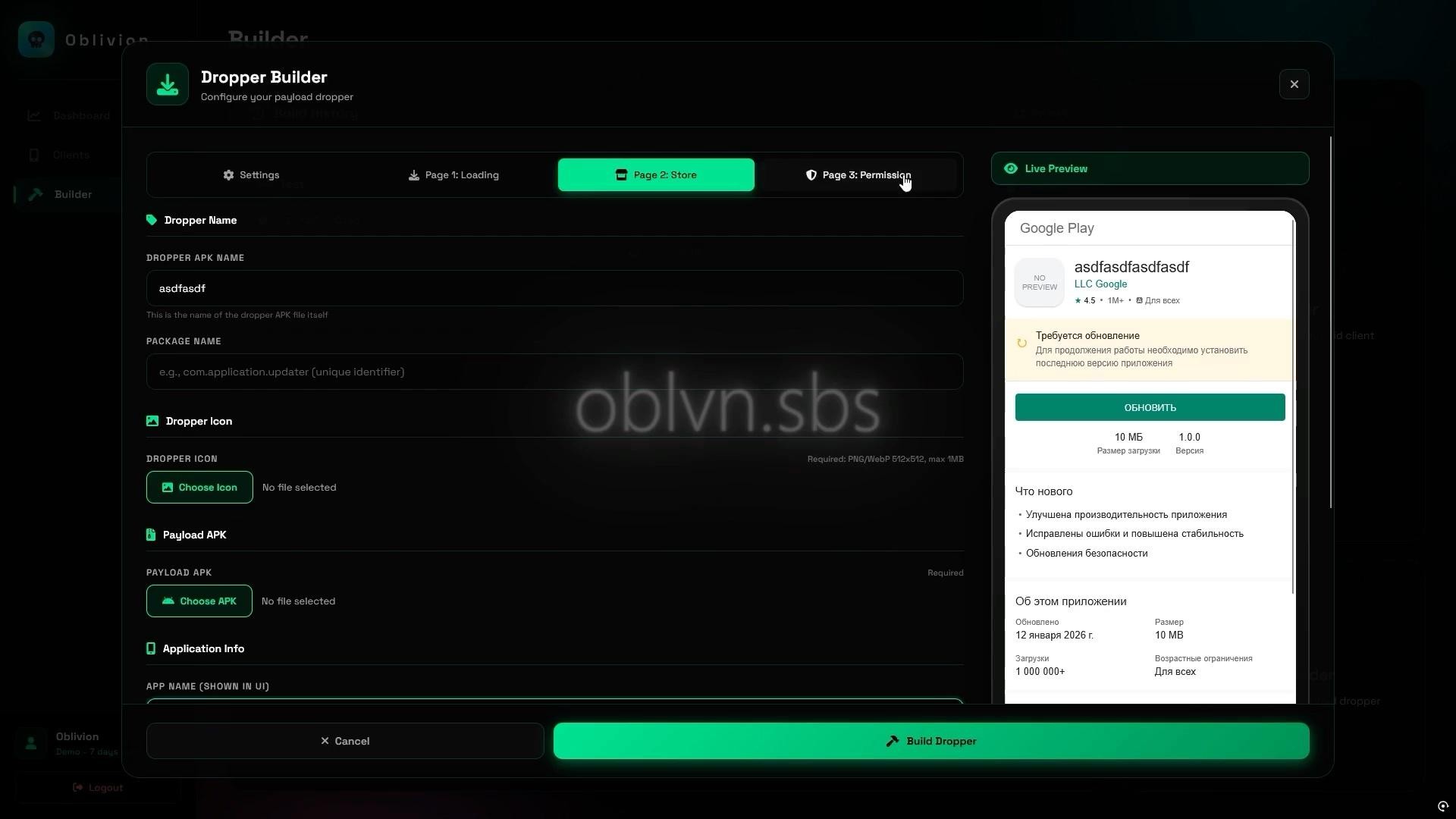
Figure 2: Fake Play Store listing page.
The third page walks the victim through enabling sideloading with numbered steps, a screenshot of the "Allow from this source" toggle, and a blue info box stating this is "a standard procedure to protect your device."
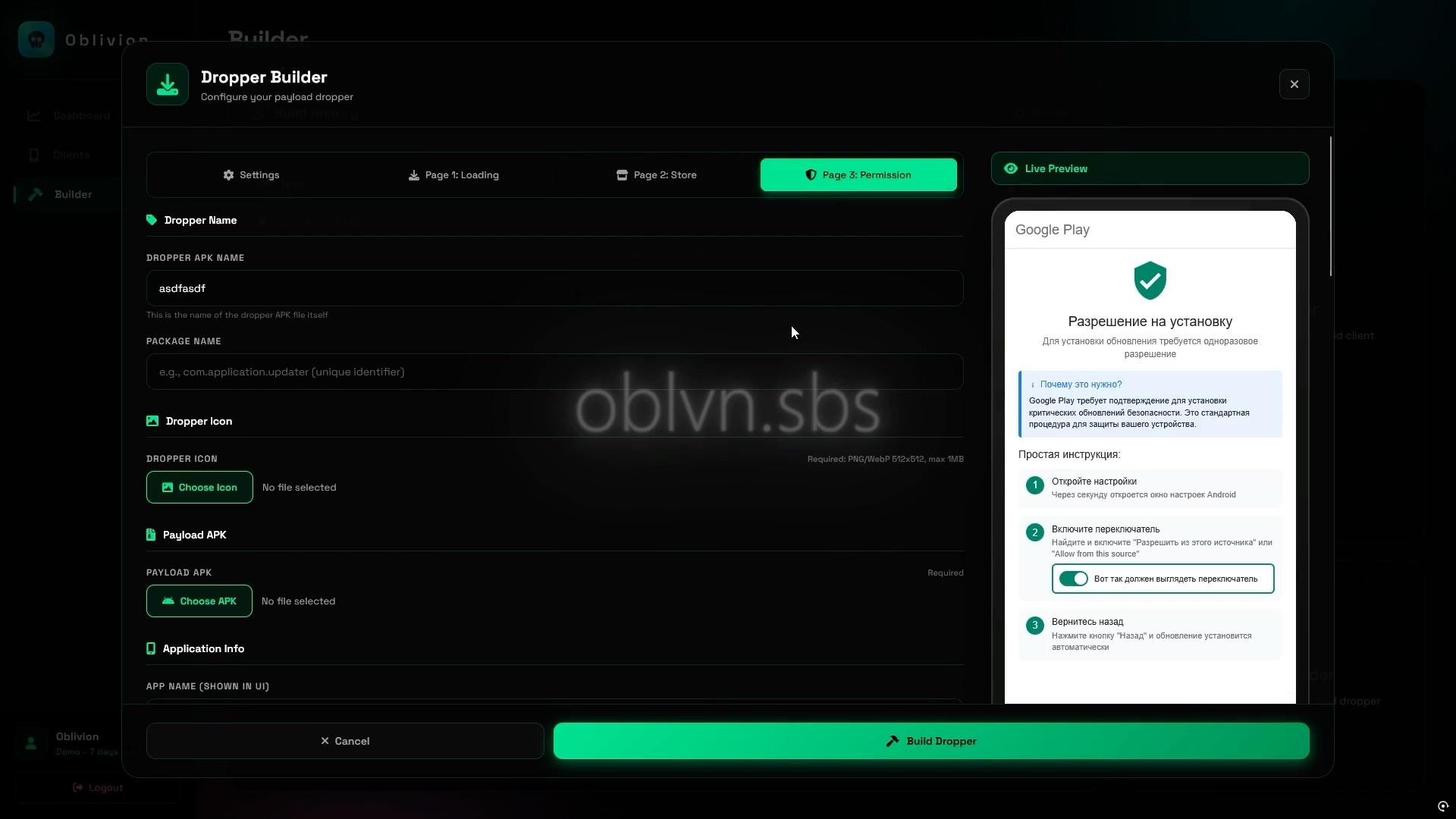
Figure 3: Sideloading enablement walkthrough.
All three pages auto-translate via language presets in the builder. We confirmed English and Russian presets exist. The dropper's default package pattern is com.darkpurecore*, with com.oblivion.dropper.MainActivity as the launcher activity across all samples.
AccessibilityService Hijacking
The second-stage implant is generated through the APK Builder at oblvn.sbs. Operators configure the app name, package name (default pattern: net.darkhyperapps*), client icon, and choose between two modes.
Stealth mode requests AccessibilityService access immediately on launch, auto-grants all runtime permissions, hides the launcher icon, and presents no visible UI. Webview mode opens a configurable URL as a decoy while performing the same permission escalation in the background.
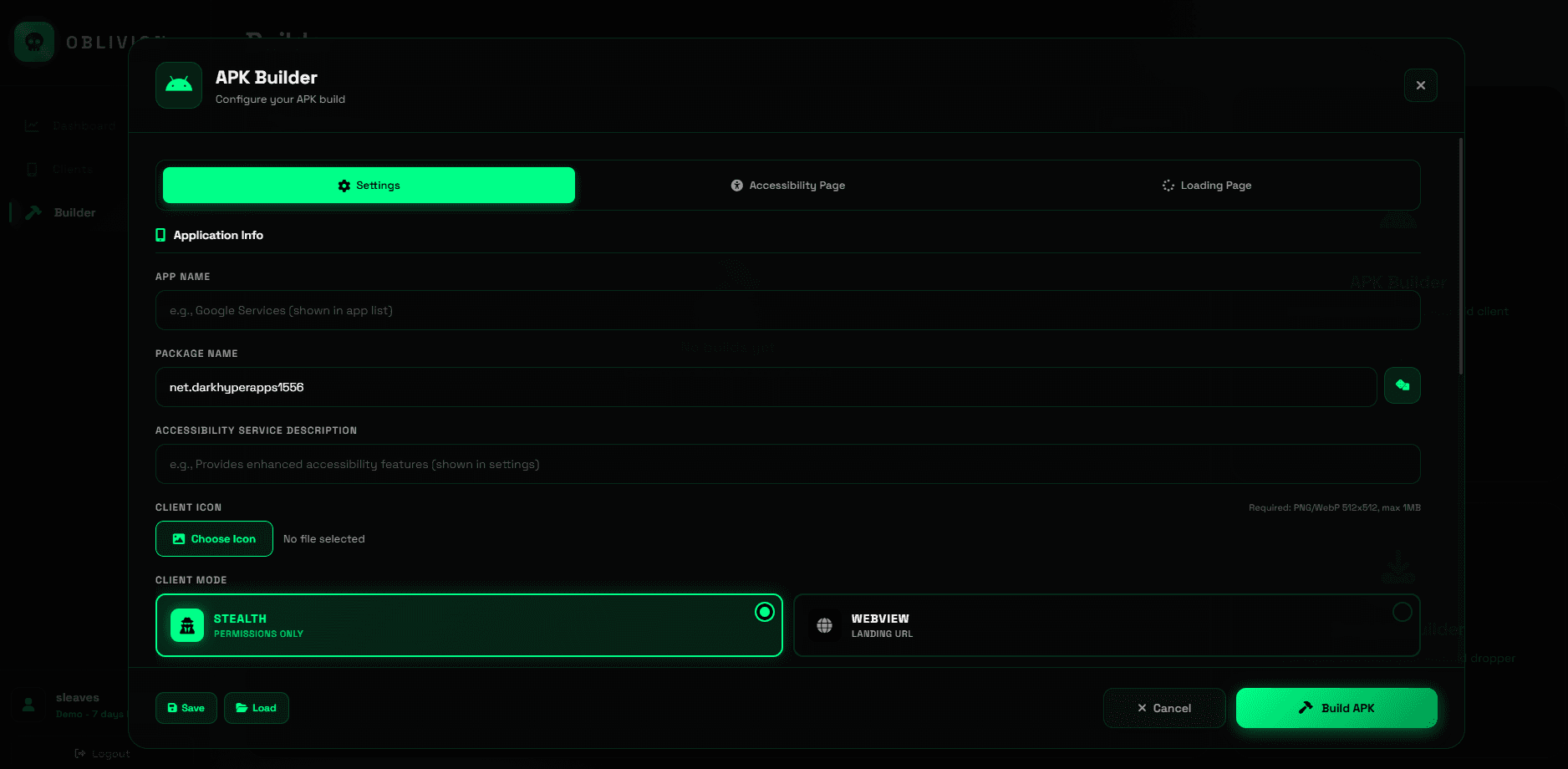
Figure 4: APK Builder configuration interface.
The core of the social engineering is the Accessibility Page builder, which generates a pixel-perfect replica of Android's Accessibility Service settings screen. Every text element is operator-controlled: page title, section headers, the Enable button, and a descriptive info message. When the victim taps Enable, they grant the implant's AccessibilityService full control over the device UI.
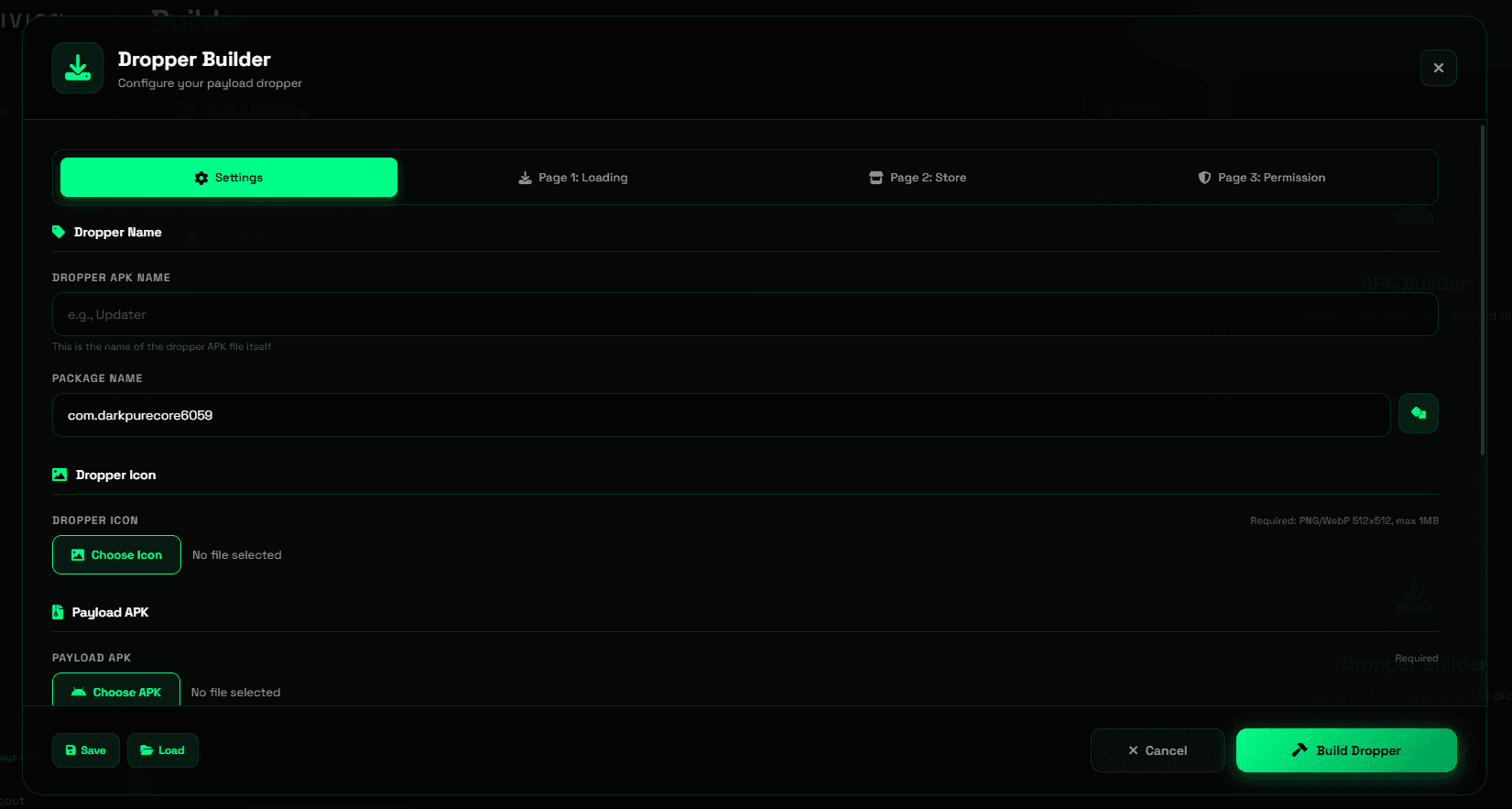
Figure 5: Fake Accessibility settings page.
The service then programmatically navigates Settings to auto-grant every remaining dangerous permission, including SMS, storage, notification listener, and device admin, without the victim seeing any prompts. The hide_permission_process toggle makes this entirely invisible by intercepting and auto-dismissing system permission dialogs before they render.
Fake ZIP Encryption and C2 Config
The implant uses several anti-analysis techniques to complicate reverse engineering.
The most interesting is a fake ZIP encryption trick targeting common analysis tools. When we attempted static analysis of the implant APK, we discovered that the classes.dex ZIP entry has its general-purpose bit flag set to 0x0809, which signals encryption to ZIP parsers. This causes jadx, apktool, and Python’s zipfile library to refuse extraction, displaying encryption errors.
However, the underlying data uses standard DEFLATE compression with no actual encryption. The fake encryption flag is purely cosmetic, designed to frustrate automated analysis workflows. We bypassed this by manually parsing ZIP local file headers to extract the DEX file directly:
Once we extracted the DEX file, the C2 configuration was trivial to locate. The entire config is stored as a plaintext base64 string with no additional obfuscation. No XOR, no AES, no string encryption. A simple strings search on the extracted DEX reveals the encoded configuration, which decodes to reveal the server host (89.125.48.159:8888), operator authentication token prefixed with OBL_ (OBL_tcdekho8W3NRbxtXxOJ0ywEldcwoWmWn), every UI string used in the fake Accessibility screen, and the client operating mode.
Post-Compromise Capabilities
After the implant establishes connection to the C2 server over self-signed TLS (CN=OblivionServer), the operator gains access to an extensive control panel. This includes real-time VNC with full touch input, a keylogger capturing all AccessibilityService events tagged by source app and timestamp, and complete SMS control.
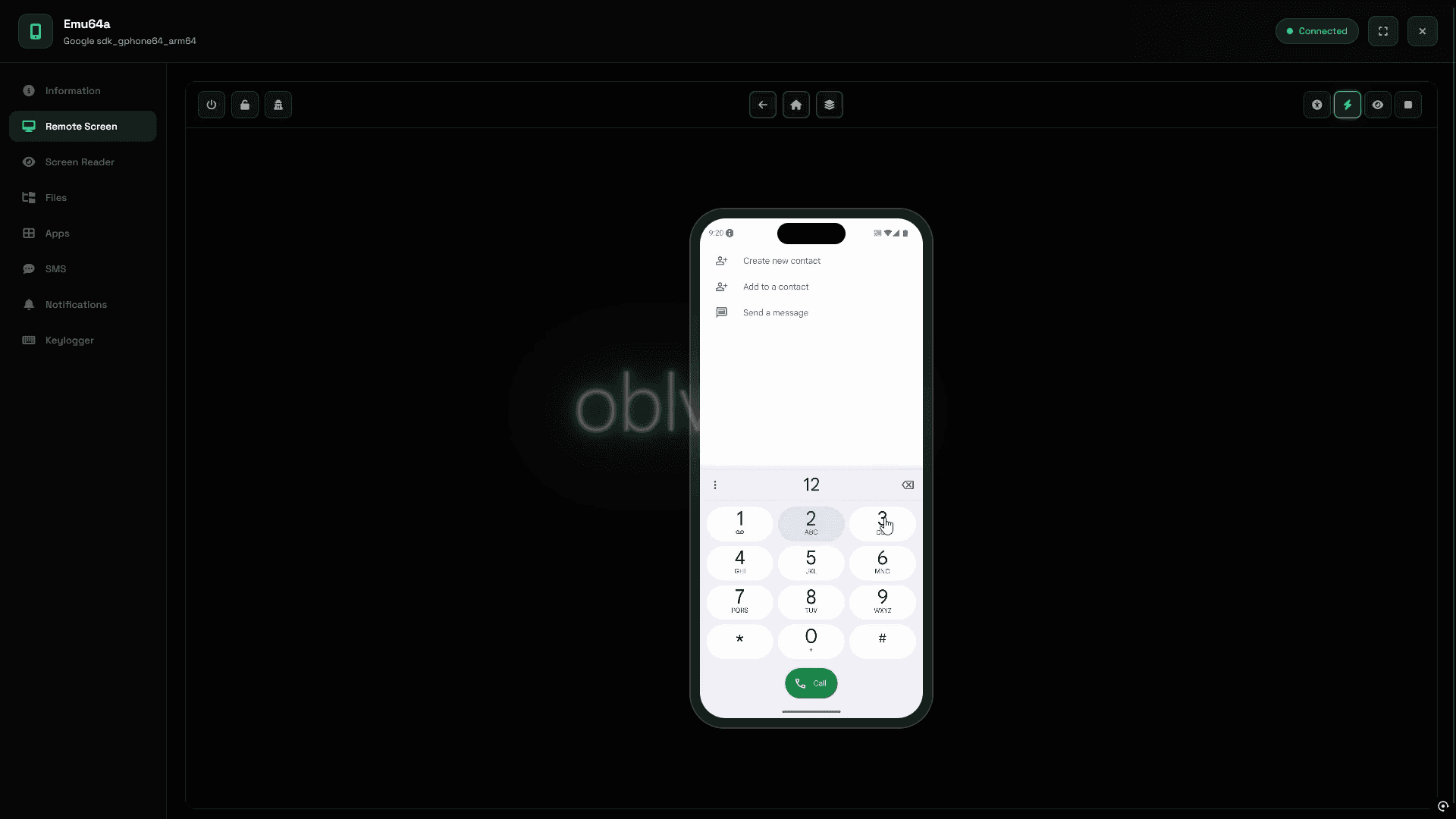
Figure 6: Real-time VNC session interface.
Because the implant registers as the default SMS handler through AccessibilityService manipulation, incoming messages, including OTP codes and 2FA tokens, hit the C2 panel before the victim's messaging app. The operator can also send SMS from the victim's number.
A "Wealth Assessment" feature auto-categorizes the victim's installed apps into Banks, Crypto, Marketplaces, MFO (Microfinance/Loans), Government, and OFD Receipts, giving the operator an instant picture of which financial accounts are worth targeting.
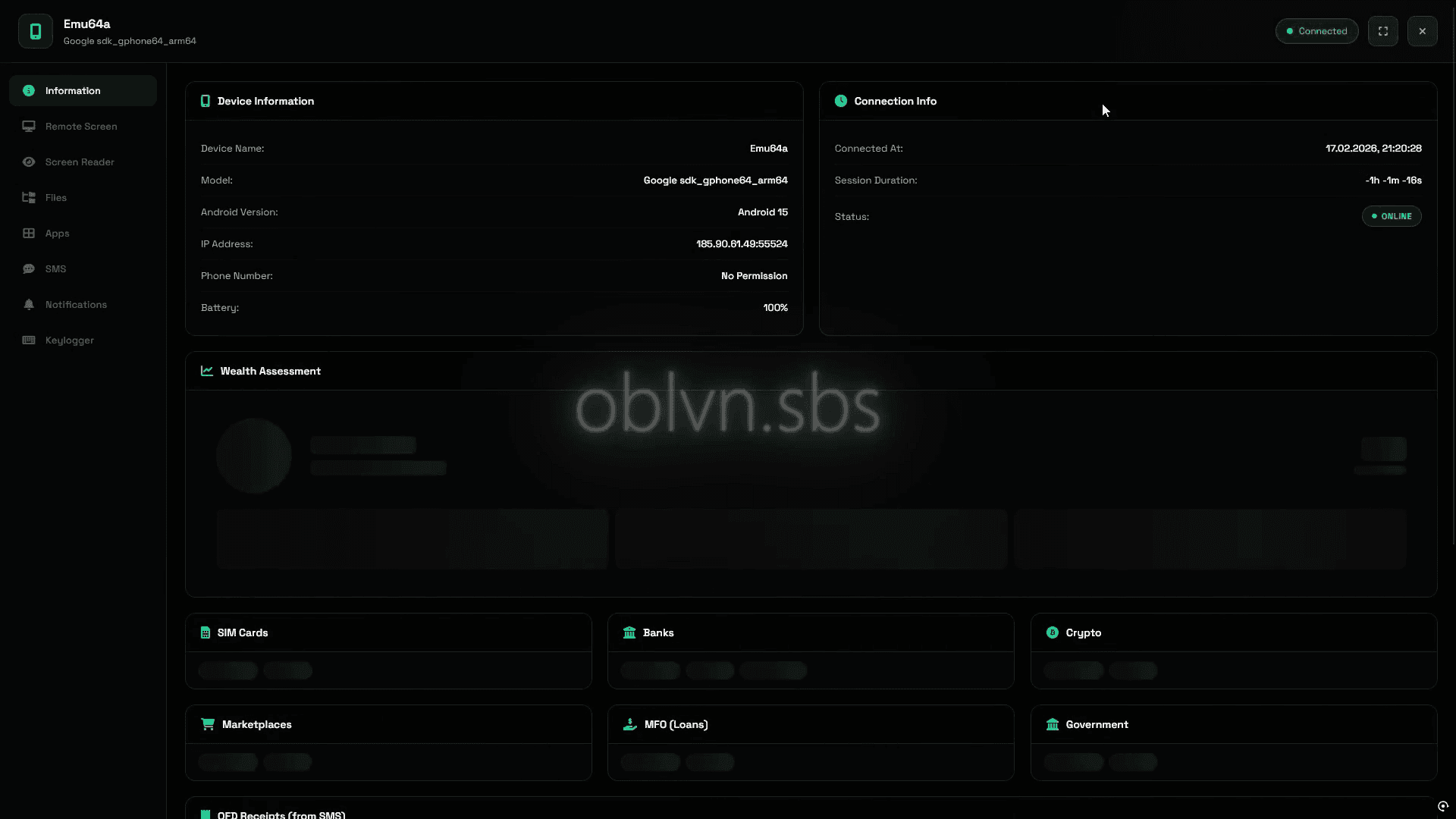
Figure 7: C2 panel with Wealth Assessment.
Indicators of Compromise
Indicator | Type | Notes |
|---|---|---|
89.125.48.159 | C2 IP | Port 8888, self-signed TLS (CN=OblivionServer), AS 213702 (NL) |
185.90.61.49 | Panel IP | Observed in C2 panel session |
83.168.108.45 | Secondary IP | Port 443, AS 35179 (PL) |
83.168.108.85 | Secondary IP | Port 443, AS 35179 (PL) |
oblvn.sbs | Panel Domain | C2 panel and builder interface |
fecf484b0fb268b1a6867057769a3e805abfc0b506cd022d37e0e50a9401714e | RAT Payload Hash | payload.apk (com.oblivion.client), VT: 14/67 |
d60d067c1239ec7db222ec18f7b8e20d85dd29ca5e8d4ddd86c55047374c3c48 | RAT Payload Hash | payload.apk (com.mail.ru), VT: 9/65 |
69a81fe8b53c1f5fa37363e32a2ed867a0c808776bdae155fc118c2de94a321a | Dropper Hash | Yandex.Archive.apk (com.yandexxxx.update), VT: 5/66 |
MITRE ATT&CK
Technique | ID | Usage |
|---|---|---|
Masquerading | T1655.001 | Impersonates Google Services, Mail.ru, Yandex |
Input Capture: Keylogging | T1417.001 | AccessibilityService-based keylogger |
SMS Control | T1582 | Read, send, intercept, default handler hijack |
Screen Capture | T1513 | VNC via MediaProjection |
Abuse Accessibility Features | T1453 | Auto-grant permissions, anti-removal |
Obfuscated Files | T1406 | Fake ZIP encryption flag on classes.dex |
Application Discovery | T1418 | App enumeration and Wealth Assessment |
Boot Persistence | T1398 | RECEIVE_BOOT_COMPLETED receiver |
iVerify detects threats like Oblivion through continuous device telemetry monitoring, identifying the behavioral indicators that commercial spyware leaves behind, even when the implant evades signature-based detection. To learn more, visit iverify.io.


Subscribe to our blog to receive the latest research and industry trends delivered straight to your inbox. Our blog content covers sophisticated mobile threats, unpatched vulnerabilities, smishing, and the latest industry news to keep you informed and secure.